
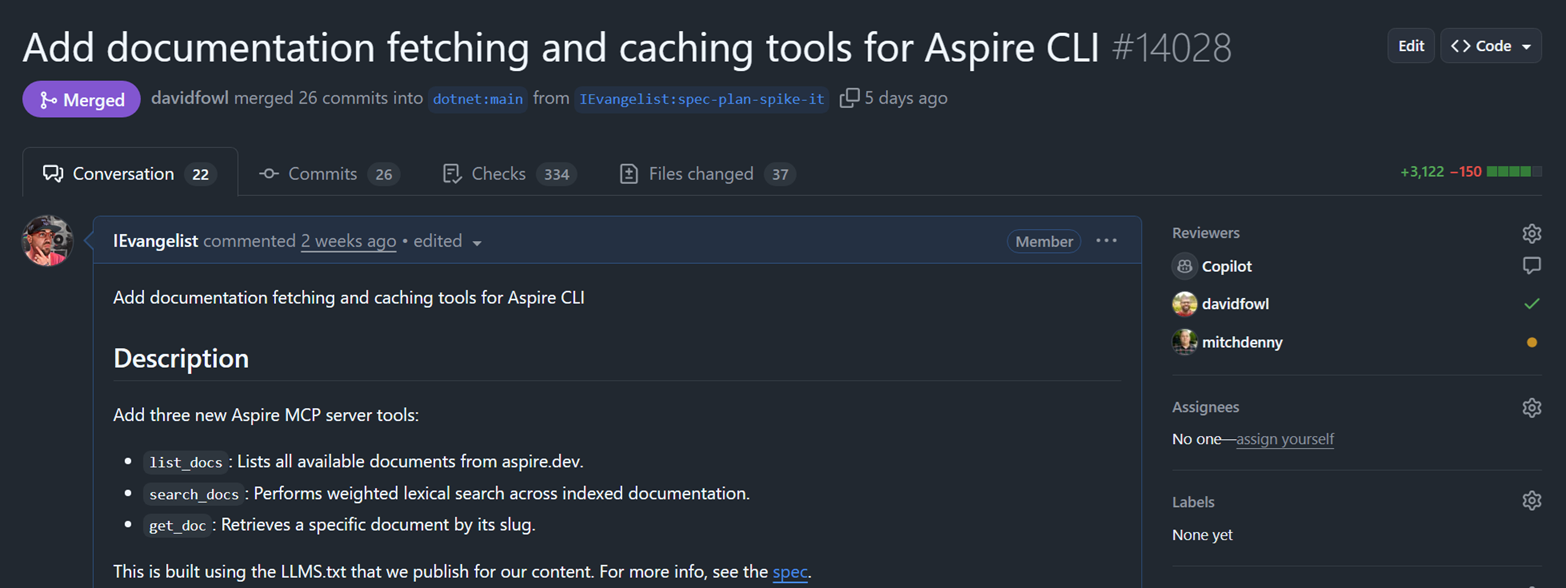
I know, I know—you’re probably not in the mood for another AI post. Trust me, this one delivers.
This is the story of how a candid conversation with my long-time mentor turned into three new tools that fundamentally change how AI agents understand Aspire.
💬 The conversation that started it all
David Fowler has always been direct with me—which I’ve come to not only expect but genuinely adore.
We were in the midst of a rebrand, replatforming docs, and reimagining Aspire for what felt like the 13th time. During one of our conversations, I was explaining how we could improve the developer experience when building Aspire apps with AI assistance. That’s when we discovered the real problem.
🤔 The problem: AI doesn’t know where to look
When developers rely on AI to help build Aspire apps, something frustrating kept happening.
The AI would recommend generic .NET patterns. It would reference learn.microsoft.com for documentation. It would suggest dotnet run instead of aspire run. It would recommend outdated NuGet packages. It would hallucinate APIs that don’t exist. FFS 🤬!
Why? Because we were ”.NET Aspire” far longer than we’ve been just “Aspire.” LLMs are trained on historical data, and they’re slow to catch up. The models learned .NET Aspire patterns: the .NET CLI, learn.microsoft.com, the old conventions. Now that we’re simply Aspire with aspire.dev as our documentation home, we needed to teach them the new way.
💡 The solution: feed the AI real docs
The answer was staring us in the face.
We needed to surface Aspire documentation directly to AI agents through the Aspire MCP (Model Context Protocol) server. Not just links—the actual content, indexed and searchable. So I wrote three new tools:
list_docs: Lists all available documents from aspire.devsearch_docs: Performs weighted lexical search across indexed documentationget_doc: Retrieves a specific document by its slug
These tools solve a real problem: feeding LLMs meaningful guidance grounded in official documentation.
🦸 Standing on the shoulders of llms.txt
Here’s where it gets interesting.
Since day one, aspire.dev has shipped with llms.txt support—thanks to an amazing Starlight maintainer, Chris Swithinbank (delucis). His starlight-llms-txt plugin follows the official llms.txt specification and generates LLM-friendly documentation during the site build process.
The llms.txt spec is brilliant in its simplicity:
- A standardized
/llms.txtmarkdown file for LLM consumption - Brief background information, guidance, and links to detailed content
- A format that’s both human-readable and machine-parseable
We configure a few pages to ignore, and from there it’s off to the races. The result? A curated, LLM-friendly version of our docs at aspire.dev/llms-small.txt.
🏗️ The architecture
Let me walk you through how this all works.
Tools
list_docs: Lists all available documentationsearch_docs: Performs weighted lexical searchget_doc: Retrieves specific document by slug
Services
IDocsFetcher: HTTP client for aspire.dev docs with ETagIDocsCache: IMemoryCache wrapper with ETag storageIDocsIndexService: Pre-indexing and weighted lexical searchIDocsSearchService: High-level search API
Parsers
LlmsTxtParser: Async parallel parser for llms.txt format
⚙️ How it works
- Eager indexing: When the MCP server starts, it immediately begins fetching and indexing aspire.dev documentation in the background—usually before the user even makes a request.
- ETag-based caching: The fetcher uses HTTP ETags for conditional requests—no re-downloading unchanged content.
- Weighted lexical search: Documents are scored using field weights (titles weighted 10x, summaries 8x, headings 6x, code 5x).
- Zero external dependencies: No embedding provider needed. Pure lexical search that just works.
🔤 Why lexical search over embeddings?
Embeddings are costly upfront. We may revisit them later to improve recall, but for now, lexical search nails the use cases we care about.
Queries are:
- Term-driven: “connection string”, “workload identity”
- Section-oriented: “configuration”, “examples”
- Name-exact: “Redis resource”, “AddServiceDefaults”
When someone asks about AddPostgresContainer, they mean exactly that method name. Embeddings get fuzzy. Lexical search nails it.
✨ The impact on UX
This pull request fundamentally changes how AI agents help developers.
Before
- ❌ AI recommends
dotnet run - ❌ AI suggests outdated NuGet packages
- ❌ AI references learn.microsoft.com for Aspire
- ❌ AI hallucinates non-existent APIs
After
- ✅ AI recommends
aspire run - ✅ AI knows current package versions from docs
- ✅ AI references aspire.dev as the source of truth
- ✅ AI provides correct, documented API usage
🔧 The tools in action
list_docs
Lists all available documents from aspire.dev. No parameters required.
{ "type": "object", "properties": {}, "additionalProperties": false, "description": "Lists all available documentation from aspire.dev. No parameters required."}search_docs
Performs weighted lexical search across indexed documentation. Pass a query, get ranked results back.
{ "type": "object", "properties": { "query": { "type": "string", "description": "The search query to find relevant documentation." }, "topK": { "type": "integer", "description": "Number of results to return (default: 5, max: 20)." } }, "required": ["query"]}get_doc
Retrieves a specific document by its slug. Matching is case-insensitive, and you get the full document content.
{ "type": "object", "properties": { "slug": { "type": "string", "description": "The document slug (URL-friendly identifier)." } }, "required": ["slug"]}🔬 Implementation details
The weighted search scoring is carefully tuned.
| Field | Weight |
|---|---|
| Title (H1) | 10.0x |
| Summary | 8.0x |
| Section Heading | 6.0x |
| Code blocks | 5.0x |
| Body text | 1.0x |
Additional scoring bonuses:
- Word boundary match: +0.5
- Multiple occurrences: +0.25 per occurrence (max 3)
- Code identifier match: +0.5
The parser uses ReadOnlySpan<char> for zero-allocation parsing and ArrayPool<char> for slug generation. Performance matters when you’re indexing documentation at startup.
🧩 Beyond MCP: reusable services
Here’s the thing—we built a very small amount of MCP-specific code. For the most part, we built reusable services that happen to be exposed through MCP.
The IDocsIndexService, IDocsSearchService, IDocsFetcher, and IDocsCache are all standalone abstractions. They understand how to fetch, parse, cache, and search aspire.dev documentation. The MCP tools are just one consumer.
This opens up possibilities:
- CLI command:
aspire docs search "redis caching"could query the same index - AI skills: Semantic Kernel or AutoGen agents could use these services directly
- IDE extensions: A VS Code extension could surface doc search without leaving the editor
- Build-time validation: Verify that code samples reference documented APIs
The architecture is intentionally decoupled. Today it’s MCP. Tomorrow it could be anything that needs programmatic access to Aspire documentation.
📊 Architecture diagrams
Let’s break down the architecture into digestible pieces.
Request flow
Here’s what happens when an AI agent uses the docs tools:
%3B%0A%20%20text%20%7B%20font-family%3A%20'Inter'%2C%20system-ui%2C%20sans-serif%3B%20%7D%0A%20%20svg%20%7B%0A%20%20%20%20%2F*%20Derived%20from%20--bg%20and%20--fg%20(overridable%20via%20--line%2C%20--accent%2C%20etc.)%20*%2F%0A%20%20%20%20--_text%3A%20%20%20%20%20%20%20%20%20%20var(--fg)%3B%0A%20%20%20%20--_text-sec%3A%20%20%20%20%20%20var(--muted%2C%20color-mix(in%20srgb%2C%20var(--fg)%2060%25%2C%20var(--bg)))%3B%0A%20%20%20%20--_text-muted%3A%20%20%20%20var(--muted%2C%20color-mix(in%20srgb%2C%20var(--fg)%2040%25%2C%20var(--bg)))%3B%0A%20%20%20%20--_text-faint%3A%20%20%20%20color-mix(in%20srgb%2C%20var(--fg)%2025%25%2C%20var(--bg))%3B%0A%20%20%20%20--_line%3A%20%20%20%20%20%20%20%20%20%20var(--line%2C%20color-mix(in%20srgb%2C%20var(--fg)%2030%25%2C%20var(--bg)))%3B%0A%20%20%20%20--_arrow%3A%20%20%20%20%20%20%20%20%20var(--accent%2C%20color-mix(in%20srgb%2C%20var(--fg)%2050%25%2C%20var(--bg)))%3B%0A%20%20%20%20--_node-fill%3A%20%20%20%20%20var(--surface%2C%20color-mix(in%20srgb%2C%20var(--fg)%203%25%2C%20var(--bg)))%3B%0A%20%20%20%20--_node-stroke%3A%20%20%20var(--border%2C%20color-mix(in%20srgb%2C%20var(--fg)%2020%25%2C%20var(--bg)))%3B%0A%20%20%20%20--_group-fill%3A%20%20%20%20var(--bg)%3B%0A%20%20%20%20--_group-hdr%3A%20%20%20%20%20color-mix(in%20srgb%2C%20var(--fg)%205%25%2C%20var(--bg))%3B%0A%20%20%20%20--_inner-stroke%3A%20%20color-mix(in%20srgb%2C%20var(--fg)%2012%25%2C%20var(--bg))%3B%0A%20%20%20%20--_key-badge%3A%20%20%20%20%20color-mix(in%20srgb%2C%20var(--fg)%2010%25%2C%20var(--bg))%3B%0A%20%20%7D%0A%3C%2Fstyle%3E%0A%3Cdefs%3E%0A%20%20%3Cmarker%20id%3D%22seq-arrow%22%20markerWidth%3D%228%22%20markerHeight%3D%224.8%22%20refX%3D%228%22%20refY%3D%222.4%22%20orient%3D%22auto-start-reverse%22%3E%0A%20%20%20%20%3Cpolygon%20points%3D%220%200%2C%208%202.4%2C%200%204.8%22%20fill%3D%22var(--_arrow)%22%20%2F%3E%0A%20%20%3C%2Fmarker%3E%0A%20%20%3Cmarker%20id%3D%22seq-arrow-open%22%20markerWidth%3D%228%22%20markerHeight%3D%224.8%22%20refX%3D%228%22%20refY%3D%222.4%22%20orient%3D%22auto-start-reverse%22%3E%0A%20%20%20%20%3Cpolyline%20points%3D%220%200%2C%208%202.4%2C%200%204.8%22%20fill%3D%22none%22%20stroke%3D%22var(--_arrow)%22%20stroke-width%3D%221%22%20%2F%3E%0A%20%20%3C%2Fmarker%3E%0A%3C%2Fdefs%3E%0A%3Crect%20x%3D%22296.34999999999997%22%20y%3D%22158%22%20width%3D%22446.325%22%20height%3D%22324%22%20rx%3D%220%22%20ry%3D%220%22%20fill%3D%22none%22%20stroke%3D%22var(--_node-stroke)%22%20stroke-width%3D%221%22%20%2F%3E%0A%3Crect%20x%3D%22296.34999999999997%22%20y%3D%22158%22%20width%3D%22175.5%22%20height%3D%2218%22%20fill%3D%22var(--_group-hdr)%22%20stroke%3D%22var(--_node-stroke)%22%20stroke-width%3D%221%22%20%2F%3E%0A%3Ctext%20x%3D%22302.34999999999997%22%20y%3D%22167%22%20dy%3D%220.35em%22%20font-size%3D%2211%22%20font-weight%3D%22600%22%20fill%3D%22var(--_text-sec)%22%3Ealt%20%5BCache%20miss%20or%20stale%5D%3C%2Ftext%3E%0A%3Cline%20x1%3D%22296.34999999999997%22%20y1%3D%22394%22%20x2%3D%22742.675%22%20y2%3D%22394%22%20stroke%3D%22var(--_line)%22%20stroke-width%3D%220.75%22%20stroke-dasharray%3D%226%204%22%20%2F%3E%0A%3Ctext%20x%3D%22304.34999999999997%22%20y%3D%22408%22%20font-size%3D%2211%22%20font-weight%3D%22400%22%20fill%3D%22var(--_text-muted)%22%3E%5BCache%20hit%5D%3C%2Ftext%3E%0A%3Cline%20x1%3D%2274.6%22%20y1%3D%2270%22%20x2%3D%2274.6%22%20y2%3D%22582%22%20stroke%3D%22var(--_line)%22%20stroke-width%3D%220.75%22%20stroke-dasharray%3D%226%204%22%20%2F%3E%0A%3Cline%20x1%3D%22214.6%22%20y1%3D%2270%22%20x2%3D%22214.6%22%20y2%3D%22582%22%20stroke%3D%22var(--_line)%22%20stroke-width%3D%220.75%22%20stroke-dasharray%3D%226%204%22%20%2F%3E%0A%3Cline%20x1%3D%22379.54999999999995%22%20y1%3D%2270%22%20x2%3D%22379.54999999999995%22%20y2%3D%22582%22%20stroke%3D%22var(--_line)%22%20stroke-width%3D%220.75%22%20stroke-dasharray%3D%226%204%22%20%2F%3E%0A%3Cline%20x1%3D%22540.925%22%20y1%3D%2270%22%20x2%3D%22540.925%22%20y2%3D%22582%22%20stroke%3D%22var(--_line)%22%20stroke-width%3D%220.75%22%20stroke-dasharray%3D%226%204%22%20%2F%3E%0A%3Cline%20x1%3D%22680.925%22%20y1%3D%2270%22%20x2%3D%22680.925%22%20y2%3D%22582%22%20stroke%3D%22var(--_line)%22%20stroke-width%3D%220.75%22%20stroke-dasharray%3D%226%204%22%20%2F%3E%0A%3Cline%20x1%3D%2274.6%22%20y1%3D%2290%22%20x2%3D%22214.6%22%20y2%3D%2290%22%20stroke%3D%22var(--_line)%22%20stroke-width%3D%220.75%22%20marker-end%3D%22url(%23seq-arrow)%22%20%2F%3E%0A%3Ctext%20x%3D%22144.6%22%20y%3D%2284%22%20text-anchor%3D%22middle%22%20font-size%3D%2211%22%20font-weight%3D%22400%22%20fill%3D%22var(--_text-muted)%22%3Esearch_docs(%26quot%3Bredis%26quot%3B)%3C%2Ftext%3E%0A%3Cline%20x1%3D%22214.6%22%20y1%3D%22130%22%20x2%3D%22379.54999999999995%22%20y2%3D%22130%22%20stroke%3D%22var(--_line)%22%20stroke-width%3D%220.75%22%20marker-end%3D%22url(%23seq-arrow)%22%20%2F%3E%0A%3Ctext%20x%3D%22297.075%22%20y%3D%22124%22%20text-anchor%3D%22middle%22%20font-size%3D%2211%22%20font-weight%3D%22400%22%20fill%3D%22var(--_text-muted)%22%3ESearch(query)%3C%2Ftext%3E%0A%3Cline%20x1%3D%22379.54999999999995%22%20y1%3D%22198%22%20x2%3D%22540.925%22%20y2%3D%22198%22%20stroke%3D%22var(--_line)%22%20stroke-width%3D%220.75%22%20marker-end%3D%22url(%23seq-arrow)%22%20%2F%3E%0A%3Ctext%20x%3D%22460.23749999999995%22%20y%3D%22192%22%20text-anchor%3D%22middle%22%20font-size%3D%2211%22%20font-weight%3D%22400%22%20fill%3D%22var(--_text-muted)%22%3ETryGetDocs()%3C%2Ftext%3E%0A%3Cline%20x1%3D%22540.925%22%20y1%3D%22238%22%20x2%3D%22379.54999999999995%22%20y2%3D%22238%22%20stroke%3D%22var(--_line)%22%20stroke-width%3D%220.75%22%20stroke-dasharray%3D%226%204%22%20marker-end%3D%22url(%23seq-arrow)%22%20%2F%3E%0A%3Ctext%20x%3D%22460.23749999999995%22%20y%3D%22232%22%20text-anchor%3D%22middle%22%20font-size%3D%2211%22%20font-weight%3D%22400%22%20fill%3D%22var(--_text-muted)%22%3Enull%3C%2Ftext%3E%0A%3Cline%20x1%3D%22379.54999999999995%22%20y1%3D%22278%22%20x2%3D%22680.925%22%20y2%3D%22278%22%20stroke%3D%22var(--_line)%22%20stroke-width%3D%220.75%22%20marker-end%3D%22url(%23seq-arrow)%22%20%2F%3E%0A%3Ctext%20x%3D%22530.2375%22%20y%3D%22272%22%20text-anchor%3D%22middle%22%20font-size%3D%2211%22%20font-weight%3D%22400%22%20fill%3D%22var(--_text-muted)%22%3EGET%20%2Fllms-small.txt%3C%2Ftext%3E%0A%3Cline%20x1%3D%22680.925%22%20y1%3D%22318%22%20x2%3D%22379.54999999999995%22%20y2%3D%22318%22%20stroke%3D%22var(--_line)%22%20stroke-width%3D%220.75%22%20stroke-dasharray%3D%226%204%22%20marker-end%3D%22url(%23seq-arrow)%22%20%2F%3E%0A%3Ctext%20x%3D%22530.2375%22%20y%3D%22312%22%20text-anchor%3D%22middle%22%20font-size%3D%2211%22%20font-weight%3D%22400%22%20fill%3D%22var(--_text-muted)%22%3E200%20OK%20%2B%20ETag%3C%2Ftext%3E%0A%3Cline%20x1%3D%22379.54999999999995%22%20y1%3D%22358%22%20x2%3D%22540.925%22%20y2%3D%22358%22%20stroke%3D%22var(--_line)%22%20stroke-width%3D%220.75%22%20marker-end%3D%22url(%23seq-arrow)%22%20%2F%3E%0A%3Ctext%20x%3D%22460.23749999999995%22%20y%3D%22352%22%20text-anchor%3D%22middle%22%20font-size%3D%2211%22%20font-weight%3D%22400%22%20fill%3D%22var(--_text-muted)%22%3EStore(docs%2C%20etag)%3C%2Ftext%3E%0A%3Cline%20x1%3D%22379.54999999999995%22%20y1%3D%22422%22%20x2%3D%22540.925%22%20y2%3D%22422%22%20stroke%3D%22var(--_line)%22%20stroke-width%3D%220.75%22%20marker-end%3D%22url(%23seq-arrow)%22%20%2F%3E%0A%3Ctext%20x%3D%22460.23749999999995%22%20y%3D%22416%22%20text-anchor%3D%22middle%22%20font-size%3D%2211%22%20font-weight%3D%22400%22%20fill%3D%22var(--_text-muted)%22%3ETryGetDocs()%3C%2Ftext%3E%0A%3Cline%20x1%3D%22540.925%22%20y1%3D%22462%22%20x2%3D%22379.54999999999995%22%20y2%3D%22462%22%20stroke%3D%22var(--_line)%22%20stroke-width%3D%220.75%22%20stroke-dasharray%3D%226%204%22%20marker-end%3D%22url(%23seq-arrow)%22%20%2F%3E%0A%3Ctext%20x%3D%22460.23749999999995%22%20y%3D%22456%22%20text-anchor%3D%22middle%22%20font-size%3D%2211%22%20font-weight%3D%22400%22%20fill%3D%22var(--_text-muted)%22%3ECached%20docs%3C%2Ftext%3E%0A%3Cline%20x1%3D%22379.54999999999995%22%20y1%3D%22502%22%20x2%3D%22214.6%22%20y2%3D%22502%22%20stroke%3D%22var(--_line)%22%20stroke-width%3D%220.75%22%20stroke-dasharray%3D%226%204%22%20marker-end%3D%22url(%23seq-arrow)%22%20%2F%3E%0A%3Ctext%20x%3D%22297.075%22%20y%3D%22496%22%20text-anchor%3D%22middle%22%20font-size%3D%2211%22%20font-weight%3D%22400%22%20fill%3D%22var(--_text-muted)%22%3ERanked%20results%3C%2Ftext%3E%0A%3Cline%20x1%3D%22214.6%22%20y1%3D%22542%22%20x2%3D%2274.6%22%20y2%3D%22542%22%20stroke%3D%22var(--_line)%22%20stroke-width%3D%220.75%22%20stroke-dasharray%3D%226%204%22%20marker-end%3D%22url(%23seq-arrow)%22%20%2F%3E%0A%3Ctext%20x%3D%22144.6%22%20y%3D%22536%22%20text-anchor%3D%22middle%22%20font-size%3D%2211%22%20font-weight%3D%22400%22%20fill%3D%22var(--_text-muted)%22%3EDocumentation%20matches%3C%2Ftext%3E%0A%3Cg%20transform%3D%22translate(56.599999999999994%2C32)%20scale(1.5)%22%3E%0A%20%20%3Cpath%20d%3D%22M21%2012C21%2016.9706%2016.9706%2021%2012%2021C7.02944%2021%203%2016.9706%203%2012C3%207.02944%207.02944%203%2012%203C16.9706%203%2021%207.02944%2021%2012Z%22%20fill%3D%22none%22%20stroke%3D%22var(--_line)%22%20stroke-width%3D%220.6666666666666666%22%20%2F%3E%0A%20%20%3Cpath%20d%3D%22M15%2010C15%2011.6569%2013.6569%2013%2012%2013C10.3431%2013%209%2011.6569%209%2010C9%208.34315%2010.3431%207%2012%207C13.6569%207%2015%208.34315%2015%2010Z%22%20fill%3D%22none%22%20stroke%3D%22var(--_line)%22%20stroke-width%3D%220.6666666666666666%22%20%2F%3E%0A%20%20%3Cpath%20d%3D%22M5.62842%2018.3563C7.08963%2017.0398%209.39997%2016%2012%2016C14.6%2016%2016.9104%2017.0398%2018.3716%2018.3563%22%20fill%3D%22none%22%20stroke%3D%22var(--_line)%22%20stroke-width%3D%220.6666666666666666%22%20%2F%3E%0A%3C%2Fg%3E%0A%3Ctext%20x%3D%2274.6%22%20y%3D%2284%22%20text-anchor%3D%22middle%22%20font-size%3D%2213%22%20font-weight%3D%22500%22%20fill%3D%22var(--_text)%22%3EAI%20Agent%3C%2Ftext%3E%0A%3Crect%20x%3D%22162.85%22%20y%3D%2230%22%20width%3D%22103.5%22%20height%3D%2240%22%20rx%3D%224%22%20ry%3D%224%22%20fill%3D%22var(--_node-fill)%22%20stroke%3D%22var(--_node-stroke)%22%20stroke-width%3D%221%22%20%2F%3E%0A%3Ctext%20x%3D%22214.6%22%20y%3D%2250%22%20text-anchor%3D%22middle%22%20dy%3D%220.35em%22%20font-size%3D%2213%22%20font-weight%3D%22500%22%20fill%3D%22var(--_text)%22%3EAspire%20MCP%3C%2Ftext%3E%0A%3Crect%20x%3D%22306.34999999999997%22%20y%3D%2230%22%20width%3D%22146.4%22%20height%3D%2240%22%20rx%3D%224%22%20ry%3D%224%22%20fill%3D%22var(--_node-fill)%22%20stroke%3D%22var(--_node-stroke)%22%20stroke-width%3D%221%22%20%2F%3E%0A%3Ctext%20x%3D%22379.54999999999995%22%20y%3D%2250%22%20text-anchor%3D%22middle%22%20dy%3D%220.35em%22%20font-size%3D%2213%22%20font-weight%3D%22500%22%20fill%3D%22var(--_text)%22%3EDocsIndexService%3C%2Ftext%3E%0A%3Crect%20x%3D%22492.74999999999994%22%20y%3D%2230%22%20width%3D%2296.35000000000001%22%20height%3D%2240%22%20rx%3D%224%22%20ry%3D%224%22%20fill%3D%22var(--_node-fill)%22%20stroke%3D%22var(--_node-stroke)%22%20stroke-width%3D%221%22%20%2F%3E%0A%3Ctext%20x%3D%22540.925%22%20y%3D%2250%22%20text-anchor%3D%22middle%22%20dy%3D%220.35em%22%20font-size%3D%2213%22%20font-weight%3D%22500%22%20fill%3D%22var(--_text)%22%3EDocsCache%3C%2Ftext%3E%0A%3Crect%20x%3D%22629.175%22%20y%3D%2230%22%20width%3D%22103.5%22%20height%3D%2240%22%20rx%3D%224%22%20ry%3D%224%22%20fill%3D%22var(--_node-fill)%22%20stroke%3D%22var(--_node-stroke)%22%20stroke-width%3D%221%22%20%2F%3E%0A%3Ctext%20x%3D%22680.925%22%20y%3D%2250%22%20text-anchor%3D%22middle%22%20dy%3D%220.35em%22%20font-size%3D%2213%22%20font-weight%3D%22500%22%20fill%3D%22var(--_text)%22%3Easpire.dev%3C%2Ftext%3E%0A%3C%2Fsvg%3E)
Tools → services
The tools use different services based on their needs:
%3B%0A%20%20text%20%7B%20font-family%3A%20'Inter'%2C%20system-ui%2C%20sans-serif%3B%20%7D%0A%20%20svg%20%7B%0A%20%20%20%20%2F*%20Derived%20from%20--bg%20and%20--fg%20(overridable%20via%20--line%2C%20--accent%2C%20etc.)%20*%2F%0A%20%20%20%20--_text%3A%20%20%20%20%20%20%20%20%20%20var(--fg)%3B%0A%20%20%20%20--_text-sec%3A%20%20%20%20%20%20var(--muted%2C%20color-mix(in%20srgb%2C%20var(--fg)%2060%25%2C%20var(--bg)))%3B%0A%20%20%20%20--_text-muted%3A%20%20%20%20var(--muted%2C%20color-mix(in%20srgb%2C%20var(--fg)%2040%25%2C%20var(--bg)))%3B%0A%20%20%20%20--_text-faint%3A%20%20%20%20color-mix(in%20srgb%2C%20var(--fg)%2025%25%2C%20var(--bg))%3B%0A%20%20%20%20--_line%3A%20%20%20%20%20%20%20%20%20%20var(--line%2C%20color-mix(in%20srgb%2C%20var(--fg)%2030%25%2C%20var(--bg)))%3B%0A%20%20%20%20--_arrow%3A%20%20%20%20%20%20%20%20%20var(--accent%2C%20color-mix(in%20srgb%2C%20var(--fg)%2050%25%2C%20var(--bg)))%3B%0A%20%20%20%20--_node-fill%3A%20%20%20%20%20var(--surface%2C%20color-mix(in%20srgb%2C%20var(--fg)%203%25%2C%20var(--bg)))%3B%0A%20%20%20%20--_node-stroke%3A%20%20%20var(--border%2C%20color-mix(in%20srgb%2C%20var(--fg)%2020%25%2C%20var(--bg)))%3B%0A%20%20%20%20--_group-fill%3A%20%20%20%20var(--bg)%3B%0A%20%20%20%20--_group-hdr%3A%20%20%20%20%20color-mix(in%20srgb%2C%20var(--fg)%205%25%2C%20var(--bg))%3B%0A%20%20%20%20--_inner-stroke%3A%20%20color-mix(in%20srgb%2C%20var(--fg)%2012%25%2C%20var(--bg))%3B%0A%20%20%20%20--_key-badge%3A%20%20%20%20%20color-mix(in%20srgb%2C%20var(--fg)%2010%25%2C%20var(--bg))%3B%0A%20%20%7D%0A%3C%2Fstyle%3E%0A%3Cdefs%3E%0A%20%20%3Cmarker%20id%3D%22arrowhead%22%20markerWidth%3D%228%22%20markerHeight%3D%224.8%22%20refX%3D%228%22%20refY%3D%222.4%22%20orient%3D%22auto%22%3E%0A%20%20%20%20%3Cpolygon%20points%3D%220%200%2C%208%202.4%2C%200%204.8%22%20fill%3D%22var(--_arrow)%22%20%2F%3E%0A%20%20%3C%2Fmarker%3E%0A%20%20%3Cmarker%20id%3D%22arrowhead-start%22%20markerWidth%3D%228%22%20markerHeight%3D%224.8%22%20refX%3D%220%22%20refY%3D%222.4%22%20orient%3D%22auto-start-reverse%22%3E%0A%20%20%20%20%3Cpolygon%20points%3D%228%200%2C%200%202.4%2C%208%204.8%22%20fill%3D%22var(--_arrow)%22%20%2F%3E%0A%20%20%3C%2Fmarker%3E%0A%3C%2Fdefs%3E%0A%3Cpolyline%20points%3D%22347.775%2C58%20503.875%2C58%20503.875%2C100%22%20fill%3D%22none%22%20stroke%3D%22var(--_line)%22%20stroke-width%3D%220.75%22%20marker-end%3D%22url(%23arrowhead)%22%20%2F%3E%0A%3Cpolyline%20points%3D%22164.95%2C178%20204.95%2C178%22%20fill%3D%22none%22%20stroke%3D%22var(--_line)%22%20stroke-width%3D%220.75%22%20marker-end%3D%22url(%23arrowhead)%22%20%2F%3E%0A%3Cpolyline%20points%3D%22340.625%2C118%20419.95%2C118%22%20fill%3D%22none%22%20stroke%3D%22var(--_line)%22%20stroke-width%3D%220.75%22%20marker-end%3D%22url(%23arrowhead)%22%20%2F%3E%0A%3Cpolyline%20points%3D%22379.95%2C178%20503.875%2C178%20503.875%2C136%22%20fill%3D%22none%22%20stroke%3D%22var(--_line)%22%20stroke-width%3D%220.75%22%20marker-end%3D%22url(%23arrowhead)%22%20%2F%3E%0A%3Crect%20x%3D%22237.125%22%20y%3D%2240%22%20width%3D%22110.65%22%20height%3D%2236%22%20rx%3D%220%22%20ry%3D%220%22%20fill%3D%22var(--_node-fill)%22%20stroke%3D%22var(--_node-stroke)%22%20stroke-width%3D%220.75%22%20%2F%3E%0A%3Crect%20x%3D%22419.95%22%20y%3D%22100%22%20width%3D%22167.85000000000002%22%20height%3D%2236%22%20rx%3D%220%22%20ry%3D%220%22%20fill%3D%22var(--_node-fill)%22%20stroke%3D%22var(--_node-stroke)%22%20stroke-width%3D%220.75%22%20%2F%3E%0A%3Crect%20x%3D%2239.99999999999999%22%20y%3D%22160%22%20width%3D%22124.95%22%20height%3D%2236%22%20rx%3D%220%22%20ry%3D%220%22%20fill%3D%22var(--_node-fill)%22%20stroke%3D%22var(--_node-stroke)%22%20stroke-width%3D%220.75%22%20%2F%3E%0A%3Crect%20x%3D%22204.95%22%20y%3D%22160%22%20width%3D%22175%22%20height%3D%2236%22%20rx%3D%220%22%20ry%3D%220%22%20fill%3D%22var(--_node-fill)%22%20stroke%3D%22var(--_node-stroke)%22%20stroke-width%3D%220.75%22%20%2F%3E%0A%3Crect%20x%3D%22244.27499999999998%22%20y%3D%22100%22%20width%3D%2296.35000000000001%22%20height%3D%2236%22%20rx%3D%220%22%20ry%3D%220%22%20fill%3D%22var(--_node-fill)%22%20stroke%3D%22var(--_node-stroke)%22%20stroke-width%3D%220.75%22%20%2F%3E%0A%3Ctext%20x%3D%22292.45%22%20y%3D%2258%22%20text-anchor%3D%22middle%22%20dy%3D%220.35em%22%20font-size%3D%2213%22%20font-weight%3D%22500%22%20fill%3D%22var(--_text)%22%3E%26quot%3Blist_docs%26quot%3B%3C%2Ftext%3E%0A%3Ctext%20x%3D%22503.875%22%20y%3D%22118%22%20text-anchor%3D%22middle%22%20dy%3D%220.35em%22%20font-size%3D%2213%22%20font-weight%3D%22500%22%20fill%3D%22var(--_text)%22%3E%26quot%3BIDocsIndexService%26quot%3B%3C%2Ftext%3E%0A%3Ctext%20x%3D%22102.475%22%20y%3D%22178%22%20text-anchor%3D%22middle%22%20dy%3D%220.35em%22%20font-size%3D%2213%22%20font-weight%3D%22500%22%20fill%3D%22var(--_text)%22%3E%26quot%3Bsearch_docs%26quot%3B%3C%2Ftext%3E%0A%3Ctext%20x%3D%22292.45%22%20y%3D%22178%22%20text-anchor%3D%22middle%22%20dy%3D%220.35em%22%20font-size%3D%2213%22%20font-weight%3D%22500%22%20fill%3D%22var(--_text)%22%3E%26quot%3BIDocsSearchService%26quot%3B%3C%2Ftext%3E%0A%3Ctext%20x%3D%22292.45%22%20y%3D%22118%22%20text-anchor%3D%22middle%22%20dy%3D%220.35em%22%20font-size%3D%2213%22%20font-weight%3D%22500%22%20fill%3D%22var(--_text)%22%3E%26quot%3Bget_doc%26quot%3B%3C%2Ftext%3E%0A%3C%2Fsvg%3E)
Fetching and parsing
The index service coordinates fetching from aspire.dev and parsing the LLMS.txt format:
%3B%0A%20%20text%20%7B%20font-family%3A%20'Inter'%2C%20system-ui%2C%20sans-serif%3B%20%7D%0A%20%20svg%20%7B%0A%20%20%20%20%2F*%20Derived%20from%20--bg%20and%20--fg%20(overridable%20via%20--line%2C%20--accent%2C%20etc.)%20*%2F%0A%20%20%20%20--_text%3A%20%20%20%20%20%20%20%20%20%20var(--fg)%3B%0A%20%20%20%20--_text-sec%3A%20%20%20%20%20%20var(--muted%2C%20color-mix(in%20srgb%2C%20var(--fg)%2060%25%2C%20var(--bg)))%3B%0A%20%20%20%20--_text-muted%3A%20%20%20%20var(--muted%2C%20color-mix(in%20srgb%2C%20var(--fg)%2040%25%2C%20var(--bg)))%3B%0A%20%20%20%20--_text-faint%3A%20%20%20%20color-mix(in%20srgb%2C%20var(--fg)%2025%25%2C%20var(--bg))%3B%0A%20%20%20%20--_line%3A%20%20%20%20%20%20%20%20%20%20var(--line%2C%20color-mix(in%20srgb%2C%20var(--fg)%2030%25%2C%20var(--bg)))%3B%0A%20%20%20%20--_arrow%3A%20%20%20%20%20%20%20%20%20var(--accent%2C%20color-mix(in%20srgb%2C%20var(--fg)%2050%25%2C%20var(--bg)))%3B%0A%20%20%20%20--_node-fill%3A%20%20%20%20%20var(--surface%2C%20color-mix(in%20srgb%2C%20var(--fg)%203%25%2C%20var(--bg)))%3B%0A%20%20%20%20--_node-stroke%3A%20%20%20var(--border%2C%20color-mix(in%20srgb%2C%20var(--fg)%2020%25%2C%20var(--bg)))%3B%0A%20%20%20%20--_group-fill%3A%20%20%20%20var(--bg)%3B%0A%20%20%20%20--_group-hdr%3A%20%20%20%20%20color-mix(in%20srgb%2C%20var(--fg)%205%25%2C%20var(--bg))%3B%0A%20%20%20%20--_inner-stroke%3A%20%20color-mix(in%20srgb%2C%20var(--fg)%2012%25%2C%20var(--bg))%3B%0A%20%20%20%20--_key-badge%3A%20%20%20%20%20color-mix(in%20srgb%2C%20var(--fg)%2010%25%2C%20var(--bg))%3B%0A%20%20%7D%0A%3C%2Fstyle%3E%0A%3Cdefs%3E%0A%20%20%3Cmarker%20id%3D%22arrowhead%22%20markerWidth%3D%228%22%20markerHeight%3D%224.8%22%20refX%3D%228%22%20refY%3D%222.4%22%20orient%3D%22auto%22%3E%0A%20%20%20%20%3Cpolygon%20points%3D%220%200%2C%208%202.4%2C%200%204.8%22%20fill%3D%22var(--_arrow)%22%20%2F%3E%0A%20%20%3C%2Fmarker%3E%0A%20%20%3Cmarker%20id%3D%22arrowhead-start%22%20markerWidth%3D%228%22%20markerHeight%3D%224.8%22%20refX%3D%220%22%20refY%3D%222.4%22%20orient%3D%22auto-start-reverse%22%3E%0A%20%20%20%20%3Cpolygon%20points%3D%228%200%2C%200%202.4%2C%208%204.8%22%20fill%3D%22var(--_arrow)%22%20%2F%3E%0A%20%20%3C%2Fmarker%3E%0A%3C%2Fdefs%3E%0A%3Cpolyline%20points%3D%22207.85000000000002%2C88%20227.85000000000002%2C88%20227.85000000000002%2C58%20251.425%2C58%22%20fill%3D%22none%22%20stroke%3D%22var(--_line)%22%20stroke-width%3D%220.75%22%20marker-end%3D%22url(%23arrowhead)%22%20%2F%3E%0A%3Cpolyline%20points%3D%22207.85000000000002%2C88%20227.85000000000002%2C88%20227.85000000000002%2C118%20247.85000000000002%2C118%22%20fill%3D%22none%22%20stroke%3D%22var(--_line)%22%20stroke-width%3D%220.75%22%20marker-end%3D%22url(%23arrowhead)%22%20%2F%3E%0A%3Cpolyline%20points%3D%22383.52500000000003%2C58%20427.1%2C58%22%20fill%3D%22none%22%20stroke%3D%22var(--_line)%22%20stroke-width%3D%220.75%22%20marker-end%3D%22url(%23arrowhead)%22%20%2F%3E%0A%3Crect%20x%3D%2240%22%20y%3D%2270%22%20width%3D%22167.85000000000002%22%20height%3D%2236%22%20rx%3D%220%22%20ry%3D%220%22%20fill%3D%22var(--_node-fill)%22%20stroke%3D%22var(--_node-stroke)%22%20stroke-width%3D%220.75%22%20%2F%3E%0A%3Crect%20x%3D%22251.425%22%20y%3D%2240%22%20width%3D%22132.10000000000002%22%20height%3D%2236%22%20rx%3D%220%22%20ry%3D%220%22%20fill%3D%22var(--_node-fill)%22%20stroke%3D%22var(--_node-stroke)%22%20stroke-width%3D%220.75%22%20%2F%3E%0A%3Crect%20x%3D%22247.85000000000002%22%20y%3D%22100%22%20width%3D%22139.25%22%20height%3D%2236%22%20rx%3D%220%22%20ry%3D%220%22%20fill%3D%22var(--_node-fill)%22%20stroke%3D%22var(--_node-stroke)%22%20stroke-width%3D%220.75%22%20%2F%3E%0A%3Crect%20x%3D%22427.1%22%20y%3D%2240%22%20width%3D%22225.05%22%20height%3D%2236%22%20rx%3D%220%22%20ry%3D%220%22%20fill%3D%22var(--_node-fill)%22%20stroke%3D%22var(--_node-stroke)%22%20stroke-width%3D%220.75%22%20%2F%3E%0A%3Ctext%20x%3D%22123.92500000000001%22%20y%3D%2288%22%20text-anchor%3D%22middle%22%20dy%3D%220.35em%22%20font-size%3D%2213%22%20font-weight%3D%22500%22%20fill%3D%22var(--_text)%22%3E%26quot%3BIDocsIndexService%26quot%3B%3C%2Ftext%3E%0A%3Ctext%20x%3D%22317.475%22%20y%3D%2258%22%20text-anchor%3D%22middle%22%20dy%3D%220.35em%22%20font-size%3D%2213%22%20font-weight%3D%22500%22%20fill%3D%22var(--_text)%22%3E%26quot%3BIDocsFetcher%26quot%3B%3C%2Ftext%3E%0A%3Ctext%20x%3D%22317.475%22%20y%3D%22118%22%20text-anchor%3D%22middle%22%20dy%3D%220.35em%22%20font-size%3D%2213%22%20font-weight%3D%22500%22%20fill%3D%22var(--_text)%22%3E%26quot%3BLlmsTxtParser%26quot%3B%3C%2Ftext%3E%0A%3Ctext%20x%3D%22539.625%22%20y%3D%2258%22%20text-anchor%3D%22middle%22%20dy%3D%220.35em%22%20font-size%3D%2213%22%20font-weight%3D%22500%22%20fill%3D%22var(--_text)%22%3E%26quot%3Baspire.dev%2Fllms-small.txt%26quot%3B%3C%2Ftext%3E%0A%3C%2Fsvg%3E)
Caching with ETags
The fetcher uses HTTP ETags to avoid re-downloading unchanged content:
%3B%0A%20%20text%20%7B%20font-family%3A%20'Inter'%2C%20system-ui%2C%20sans-serif%3B%20%7D%0A%20%20svg%20%7B%0A%20%20%20%20%2F*%20Derived%20from%20--bg%20and%20--fg%20(overridable%20via%20--line%2C%20--accent%2C%20etc.)%20*%2F%0A%20%20%20%20--_text%3A%20%20%20%20%20%20%20%20%20%20var(--fg)%3B%0A%20%20%20%20--_text-sec%3A%20%20%20%20%20%20var(--muted%2C%20color-mix(in%20srgb%2C%20var(--fg)%2060%25%2C%20var(--bg)))%3B%0A%20%20%20%20--_text-muted%3A%20%20%20%20var(--muted%2C%20color-mix(in%20srgb%2C%20var(--fg)%2040%25%2C%20var(--bg)))%3B%0A%20%20%20%20--_text-faint%3A%20%20%20%20color-mix(in%20srgb%2C%20var(--fg)%2025%25%2C%20var(--bg))%3B%0A%20%20%20%20--_line%3A%20%20%20%20%20%20%20%20%20%20var(--line%2C%20color-mix(in%20srgb%2C%20var(--fg)%2030%25%2C%20var(--bg)))%3B%0A%20%20%20%20--_arrow%3A%20%20%20%20%20%20%20%20%20var(--accent%2C%20color-mix(in%20srgb%2C%20var(--fg)%2050%25%2C%20var(--bg)))%3B%0A%20%20%20%20--_node-fill%3A%20%20%20%20%20var(--surface%2C%20color-mix(in%20srgb%2C%20var(--fg)%203%25%2C%20var(--bg)))%3B%0A%20%20%20%20--_node-stroke%3A%20%20%20var(--border%2C%20color-mix(in%20srgb%2C%20var(--fg)%2020%25%2C%20var(--bg)))%3B%0A%20%20%20%20--_group-fill%3A%20%20%20%20var(--bg)%3B%0A%20%20%20%20--_group-hdr%3A%20%20%20%20%20color-mix(in%20srgb%2C%20var(--fg)%205%25%2C%20var(--bg))%3B%0A%20%20%20%20--_inner-stroke%3A%20%20color-mix(in%20srgb%2C%20var(--fg)%2012%25%2C%20var(--bg))%3B%0A%20%20%20%20--_key-badge%3A%20%20%20%20%20color-mix(in%20srgb%2C%20var(--fg)%2010%25%2C%20var(--bg))%3B%0A%20%20%7D%0A%3C%2Fstyle%3E%0A%3Cdefs%3E%0A%20%20%3Cmarker%20id%3D%22arrowhead%22%20markerWidth%3D%228%22%20markerHeight%3D%224.8%22%20refX%3D%228%22%20refY%3D%222.4%22%20orient%3D%22auto%22%3E%0A%20%20%20%20%3Cpolygon%20points%3D%220%200%2C%208%202.4%2C%200%204.8%22%20fill%3D%22var(--_arrow)%22%20%2F%3E%0A%20%20%3C%2Fmarker%3E%0A%20%20%3Cmarker%20id%3D%22arrowhead-start%22%20markerWidth%3D%228%22%20markerHeight%3D%224.8%22%20refX%3D%220%22%20refY%3D%222.4%22%20orient%3D%22auto-start-reverse%22%3E%0A%20%20%20%20%3Cpolygon%20points%3D%228%200%2C%200%202.4%2C%208%204.8%22%20fill%3D%22var(--_arrow)%22%20%2F%3E%0A%20%20%3C%2Fmarker%3E%0A%3C%2Fdefs%3E%0A%3Cpolyline%20points%3D%22440.86%2C67%20480.86%2C67%22%20fill%3D%22none%22%20stroke%3D%22var(--_line)%22%20stroke-width%3D%220.75%22%20marker-end%3D%22url(%23arrowhead)%22%20%2F%3E%0A%3Cpolyline%20points%3D%22598.66%2C67%20638.6600000000001%2C67%22%20fill%3D%22none%22%20stroke%3D%22var(--_line)%22%20stroke-width%3D%220.75%22%20marker-end%3D%22url(%23arrowhead)%22%20%2F%3E%0A%3Cpolyline%20points%3D%22308.76%2C67%20233.28000000000003%2C67%20233.28000000000003%2C85.5%2098.9%2C85.5%2098.9%2C85%22%20fill%3D%22none%22%20stroke%3D%22var(--_line)%22%20stroke-width%3D%220.75%22%20stroke-dasharray%3D%224%204%22%20marker-end%3D%22url(%23arrowhead)%22%20%2F%3E%0A%3Cpolyline%20points%3D%22157.8%2C67%20233.28000000000003%2C67%20233.28000000000003%2C48.5%20374.81%2C48.5%20374.81%2C49%22%20fill%3D%22none%22%20stroke%3D%22var(--_line)%22%20stroke-width%3D%220.75%22%20stroke-dasharray%3D%224%204%22%20marker-end%3D%22url(%23arrowhead)%22%20%2F%3E%0A%3Crect%20x%3D%22182.38000000000002%22%20y%3D%2272%22%20width%3D%22101.8%22%20height%3D%2227%22%20rx%3D%224%22%20ry%3D%224%22%20fill%3D%22var(--bg)%22%20stroke%3D%22var(--_inner-stroke)%22%20stroke-width%3D%220.5%22%20%2F%3E%0A%3Ctext%20x%3D%22233.28000000000003%22%20y%3D%2285.5%22%20text-anchor%3D%22middle%22%20dy%3D%220.35em%22%20font-size%3D%2211%22%20font-weight%3D%22400%22%20fill%3D%22var(--_text-muted)%22%3E%26quot%3BIf-None-Match%26quot%3B%3C%2Ftext%3E%0A%3Crect%20x%3D%22173.8%22%20y%3D%2235%22%20width%3D%22118.96000000000001%22%20height%3D%2227%22%20rx%3D%224%22%20ry%3D%224%22%20fill%3D%22var(--bg)%22%20stroke%3D%22var(--_inner-stroke)%22%20stroke-width%3D%220.5%22%20%2F%3E%0A%3Ctext%20x%3D%22233.28000000000003%22%20y%3D%2248.5%22%20text-anchor%3D%22middle%22%20dy%3D%220.35em%22%20font-size%3D%2211%22%20font-weight%3D%22400%22%20fill%3D%22var(--_text-muted)%22%3E%26quot%3B304%20Not%20Modified%26quot%3B%3C%2Ftext%3E%0A%3Crect%20x%3D%22308.76%22%20y%3D%2249%22%20width%3D%22132.10000000000002%22%20height%3D%2236%22%20rx%3D%220%22%20ry%3D%220%22%20fill%3D%22var(--_node-fill)%22%20stroke%3D%22var(--_node-stroke)%22%20stroke-width%3D%220.75%22%20%2F%3E%0A%3Crect%20x%3D%22480.86%22%20y%3D%2249%22%20width%3D%22117.80000000000001%22%20height%3D%2236%22%20rx%3D%220%22%20ry%3D%220%22%20fill%3D%22var(--_node-fill)%22%20stroke%3D%22var(--_node-stroke)%22%20stroke-width%3D%220.75%22%20%2F%3E%0A%3Crect%20x%3D%22638.6600000000001%22%20y%3D%2249%22%20width%3D%22132.10000000000002%22%20height%3D%2236%22%20rx%3D%220%22%20ry%3D%220%22%20fill%3D%22var(--_node-fill)%22%20stroke%3D%22var(--_node-stroke)%22%20stroke-width%3D%220.75%22%20%2F%3E%0A%3Crect%20x%3D%2240%22%20y%3D%2249%22%20width%3D%22117.80000000000001%22%20height%3D%2236%22%20rx%3D%220%22%20ry%3D%220%22%20fill%3D%22var(--_node-fill)%22%20stroke%3D%22var(--_node-stroke)%22%20stroke-width%3D%220.75%22%20%2F%3E%0A%3Ctext%20x%3D%22374.81%22%20y%3D%2267%22%20text-anchor%3D%22middle%22%20dy%3D%220.35em%22%20font-size%3D%2213%22%20font-weight%3D%22500%22%20fill%3D%22var(--_text)%22%3E%26quot%3BIDocsFetcher%26quot%3B%3C%2Ftext%3E%0A%3Ctext%20x%3D%22539.76%22%20y%3D%2267%22%20text-anchor%3D%22middle%22%20dy%3D%220.35em%22%20font-size%3D%2213%22%20font-weight%3D%22500%22%20fill%3D%22var(--_text)%22%3E%26quot%3BIDocsCache%26quot%3B%3C%2Ftext%3E%0A%3Ctext%20x%3D%22704.71%22%20y%3D%2267%22%20text-anchor%3D%22middle%22%20dy%3D%220.35em%22%20font-size%3D%2213%22%20font-weight%3D%22500%22%20fill%3D%22var(--_text)%22%3E%26quot%3BIMemoryCache%26quot%3B%3C%2Ftext%3E%0A%3Ctext%20x%3D%2298.9%22%20y%3D%2267%22%20text-anchor%3D%22middle%22%20dy%3D%220.35em%22%20font-size%3D%2213%22%20font-weight%3D%22500%22%20fill%3D%22var(--_text)%22%3E%26quot%3Baspire.dev%26quot%3B%3C%2Ftext%3E%0A%3C%2Fsvg%3E)
🔮 What’s next?
This is just the beginning.
Future considerations include:
- Full documentation support: Currently using
llms-small.txtfor abridged docs—could addllms-full.txtfor comprehensive documentation. - Sitemap integration: Use
sitemap.xmlto discover all docs pages for more complete indexing, and map slugs back to aspire.dev URLs. - Disk persistence: Serialize parsed documents to disk for faster startup.
- Search improvements: TF-IDF or BM25 for more sophisticated ranking, plus fuzzy matching for typo tolerance.
🎬 Wrapping up
Sometimes the best solutions come from recognizing what’s already there. We had LLMS.txt. We had the MCP server. We just needed to connect them.
Thanks to David Fowler for the direct feedback that sparked this work, and to Chris Swithinbank for the incredible starlight-llms-txt plugin that makes it all possible. If you’re using AI to build Aspire apps, these tools should make your experience noticeably better.
The AI now has access to the same documentation you do—and it knows to use it.
Check out the full pull request on GitHub.
Happy coding, friends! 🚀
Comments
Questions, corrections, and additions are welcome. Sign in with GitHub to join the discussion.